Live Demo: First License
You can run the whole protocol today, from a chat window, in about five minutes. No signup fee, no contract, no card. This page walks the demo as a user sees it, and shows the protocol call sitting under each screen.
You will add the demo MCP server to Claude, get an agent identity, register with the Exchange, and fetch a licensed article — discovering the offer, executing the transaction and filing the usage report along the way. Each step shows the protocol call it makes, so you can do the same thing from code afterwards.
What you need
Section titled “What you need”Claude with custom connector support, and an email address you can receive mail at. That is all.
1. Add the demo MCP server
Section titled “1. Add the demo MCP server”Add a custom connector pointing at the demo MCP endpoint:
https://mcp.demo.fora-protocol.org/mcp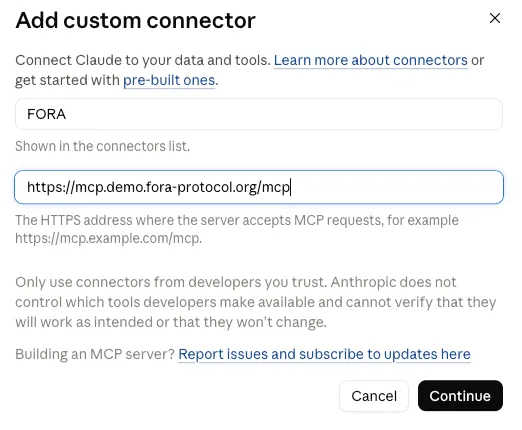
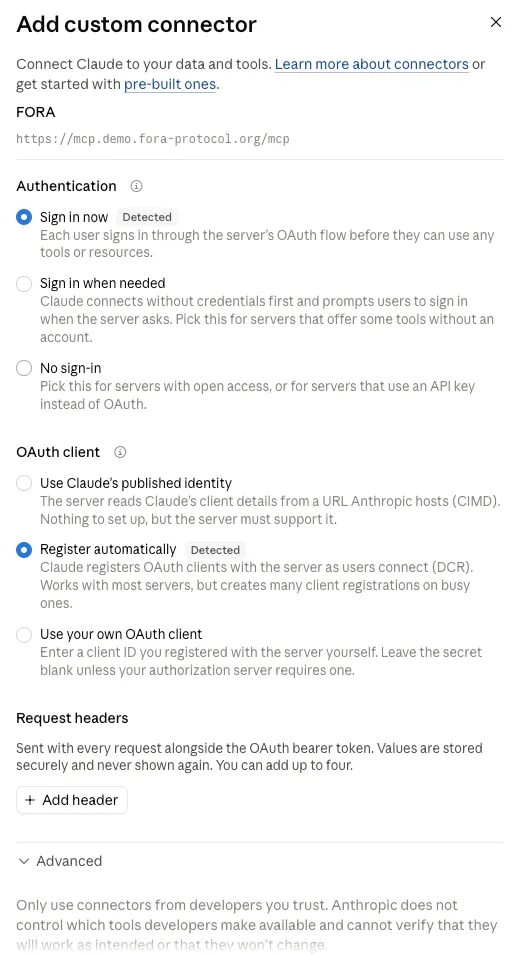
Claude probes the endpoint and discovers how to authenticate. Both settings it picks are the right ones — the server runs an OAuth flow, and registers OAuth clients dynamically as users connect.
2. Connect, and get an identity
Section titled “2. Connect, and get an identity”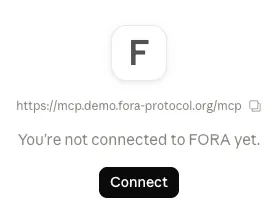
Connecting sends you to the demo’s identity service. If you have no account, register one.
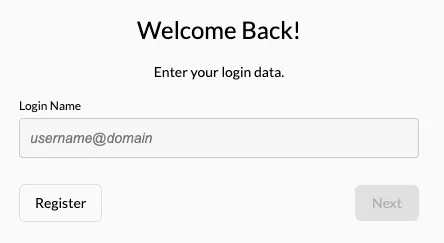
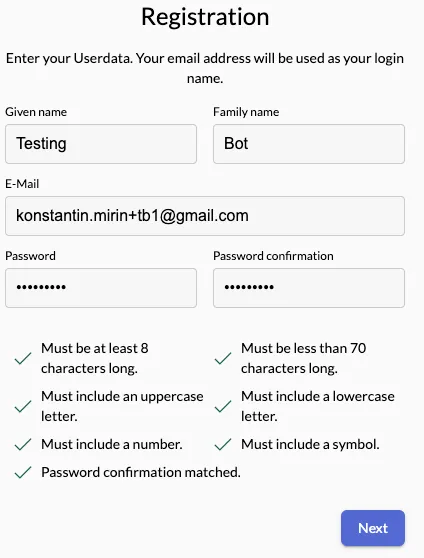
Confirm the address from the mail that arrives, and set your password.
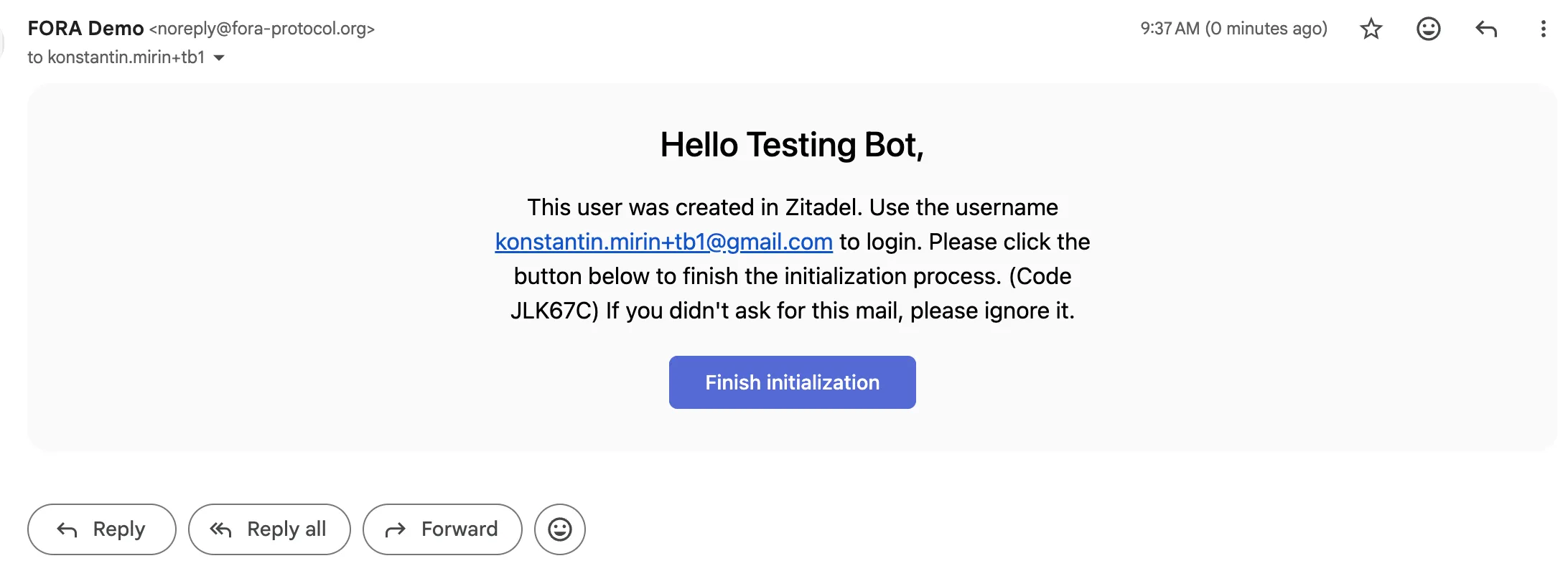
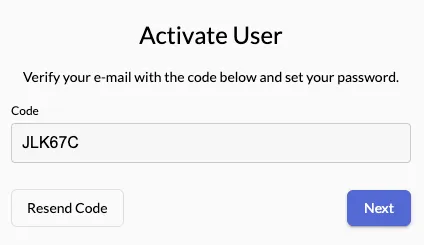
Then approve Claude’s request to act as your agent.
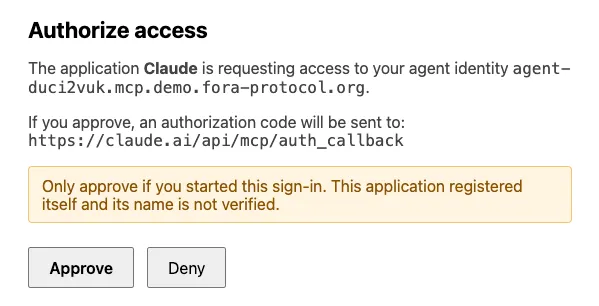
Read that screen carefully, because it is the interesting part. Claude is not asking for your password. It is asking to act as an agent identity that now exists on the network, at its own hostname.
What actually happened
Section titled “What actually happened”Registering did not just create a login. The demo provisioned you a full protocol participant:
- A subdomain of your own —
agent-<id>.mcp.demo.fora-protocol.org. - An Ed25519 keypair, generated and held server-side.
- A published key directory at that subdomain, so any verifier can resolve your public key.
That directory is live and world-readable. This is the identity from the screenshot above, still serving:
curl -s https://agent-duci2vuk.mcp.demo.fora-protocol.org/.well-known/http-message-signatures-directory{ "keys": [{ "kty": "OKP", "crv": "Ed25519", "use": "sig", "alg": "EdDSA", "x": "EdbIZlG3BxFrQOyALo83-2atoIFh5zhzbT1c9L6asa4", "not_before": "2026-09-17T07:38:33Z", "not_after": "2027-09-17T07:38:33Z" }], "revocation_url": "https://agent-duci2vuk.mcp.demo.fora-protocol.org/.well-known/fora-key-revocations.json"}From here on, every protocol call made on your behalf is signed with that key (RFC 9421 HTTP Message Signatures), carries that hostname in a covered Signature-Agent header, and is verified by the Exchange against exactly the directory above. The keyid is the key’s RFC 7638 thumbprint.
Once connected, five tools appear — the protocol verbs.
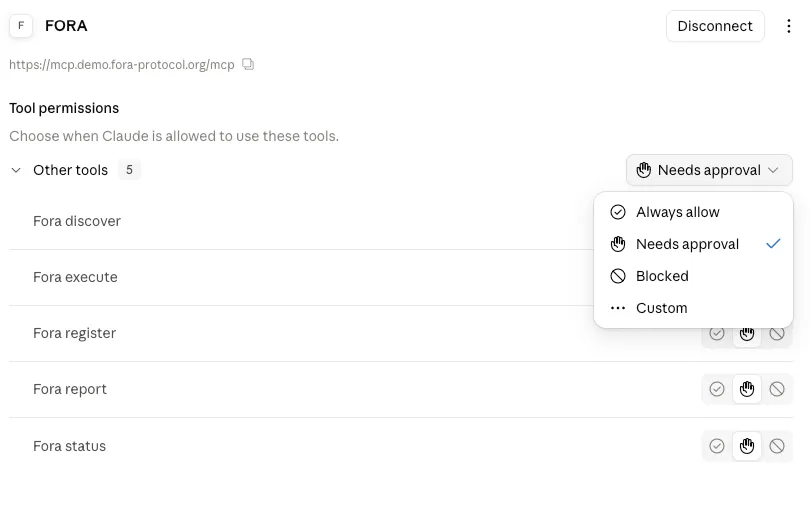
| Tool | Where the call goes |
|---|---|
Fora discover | BrokerService.Resolve, via the Broker |
Fora execute | BrokerService.ExecuteTransaction |
Fora register | ExchangeService.Register, direct to the Exchange |
Fora report | ExchangeService.ReportUsage, direct to the offer’s Exchange |
Fora status | ExchangeService.GetAccountStatus, direct to the Exchange |
Two of them traverse the Broker and three go straight to an Exchange. Registration has to be direct, because the Exchange binds your account to your identity using your own inbound signature, and a purchase through the Broker is re-signed with the Broker’s own key. See Identity Service for the rest of that reasoning.
3. The demo publisher
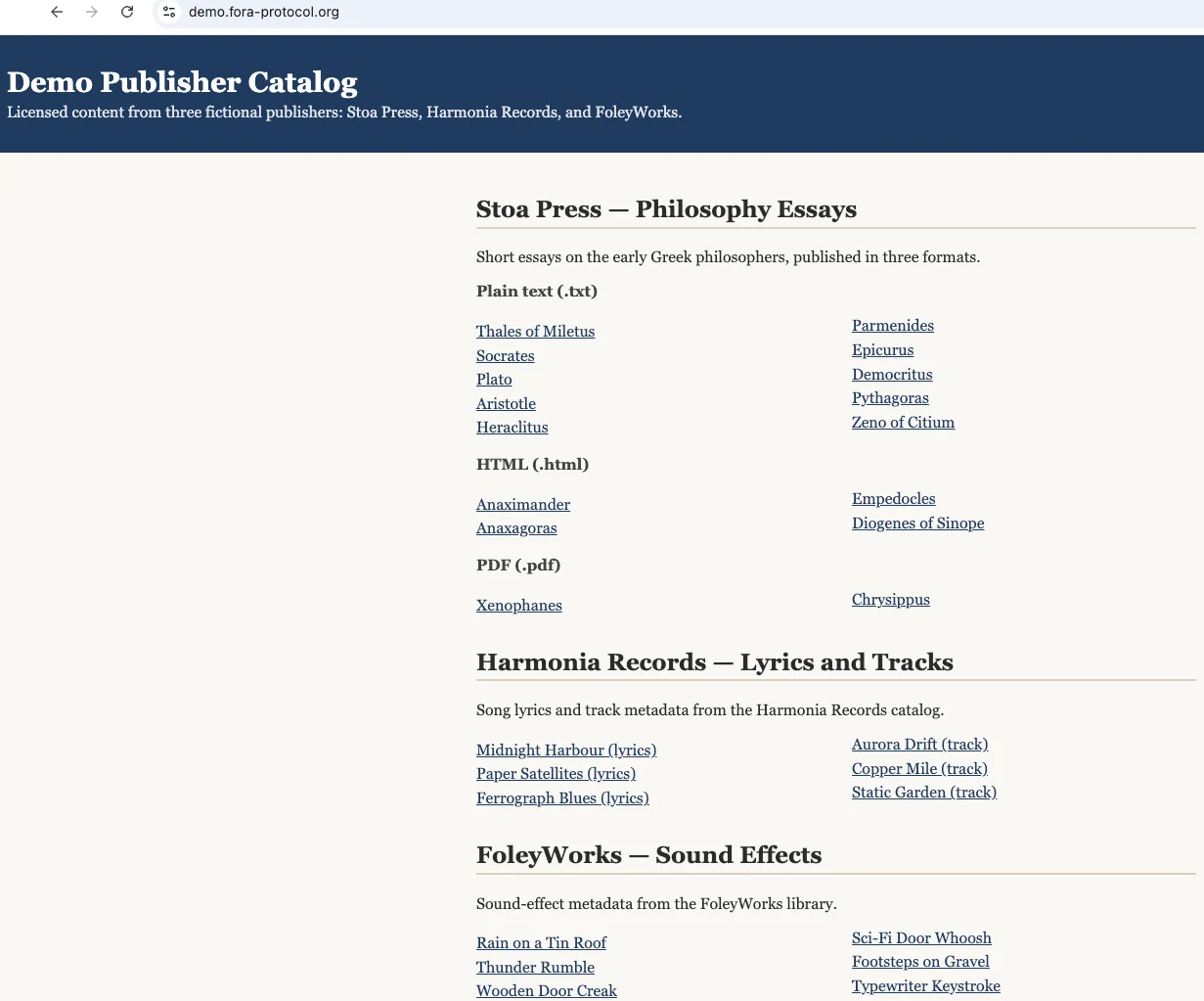
Section titled “3. The demo publisher”The catalog lives at demo.fora-protocol.org: three fictional publishers, with essays, lyrics and sound-effect metadata.
4. Register with the Exchange
Section titled “4. Register with the Exchange”Ask Claude to register you. It reads the Exchange’s manifest, finds what the Exchange asks for, reads the terms, and registers.
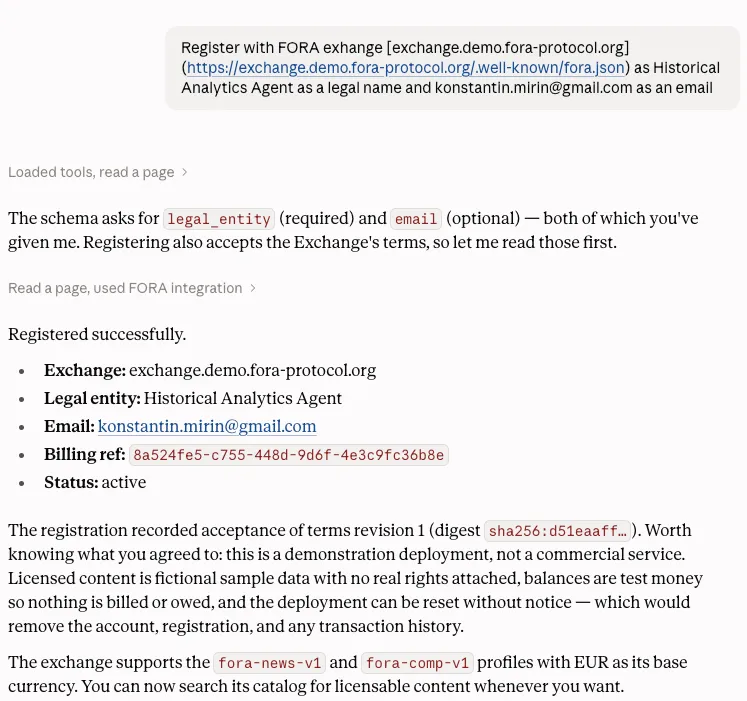
The Exchange publishes what it wants in its manifest, which is why the agent can do this unattended:
curl -s https://exchange.demo.fora-protocol.org/.well-known/fora.json{ "ver": "1.0", "role": "ROLE_EXCHANGE", "domain": "exchange.demo.fora-protocol.org", "endpoint": "https://exchange.demo.fora-protocol.org", "terms_uri": "https://exchange.demo.fora-protocol.org/terms/revision-1.txt", "supported_profiles": ["fora-news-v1", "fora-comp-v1"], "base_currency": "EUR", "max_intermediary_hops": 4, "account_registration": { "data_schema": { "type": "object", "required": ["legal_entity"], "properties": { "legal_entity": { "type": "string", "minLength": 1, "maxLength": 200 }, "email": { "type": "string", "maxLength": 254 } } } }, "terms_digest": "sha256:d51eaaff39d8f2497efd20e34709bddbffad99761deff14de216806a32460785"}legal_entity required, email optional — exactly what the agent reported back. The digest it echoed is WellKnownManifest.terms_digest from the manifest above: registration records which revision of the terms you accepted, by digest, so neither side can later disagree about what was agreed. The manifest also advertises WellKnownManifest.supported_profiles and WellKnownManifest.base_currency, which is how an agent knows what the Exchange speaks before it sends anything. WellKnownManifest.max_intermediary_hops is the most request signatures the Exchange accepts on one request. A request signed only by the party that sent it — the agent, or the Broker for a request it authored — carries one, so 4 leaves room for parties that forward a request unchanged and sign it again; the Exchange counts the signatures before it verifies any and refuses a request carrying more with resource_exhausted.
5. Watch the door close
Section titled “5. Watch the door close”Now the point of all this. Ask Claude to fetch an article from the demo publisher directly.
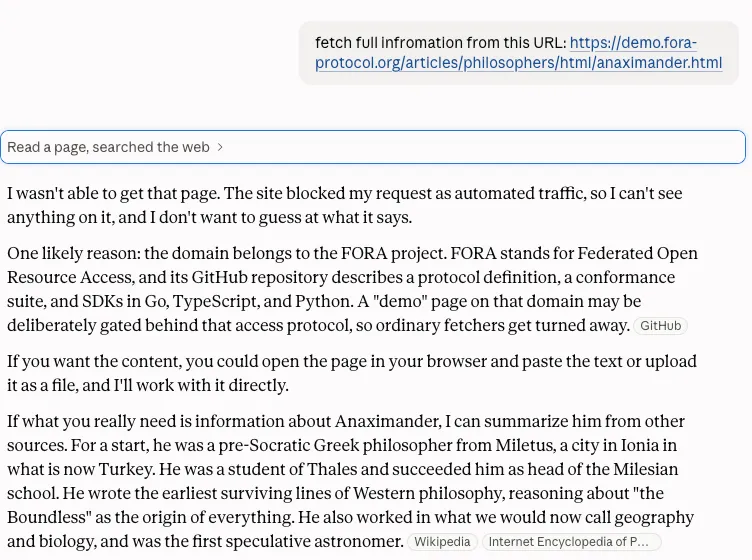
The fetch is refused. The edge in front of the demo publisher runs bot detection, and it judged this request to be an AI agent.
That is the situation FORA is for, so it is worth being precise about it: the edge is a heuristic, not a wall. It weighs the declared user-agent along with address reputation, request shape and TLS fingerprint, so results vary by where you call from — a plain curl from a residential address will usually be served. The demo is not trying to be impenetrable. It is set up so the agent path is the one that works reliably, which is the path the next step takes.
The publisher points at the Exchange that carries its catalog:
curl -s https://demo.fora-protocol.org/.well-known/fora.json{ "ver": "1.0", "role": "ROLE_PUBLISHER", "domain": "demo.fora-protocol.org", "exchanges": [{ "domain": "exchange.demo.fora-protocol.org", "relationship": "PROVIDER_RELATIONSHIP_DIRECT" }], "supported_profiles": ["fora-news-v1"]}6. Buy the license instead
Section titled “6. Buy the license instead”Ask for the same URL again, and let the agent use the protocol.
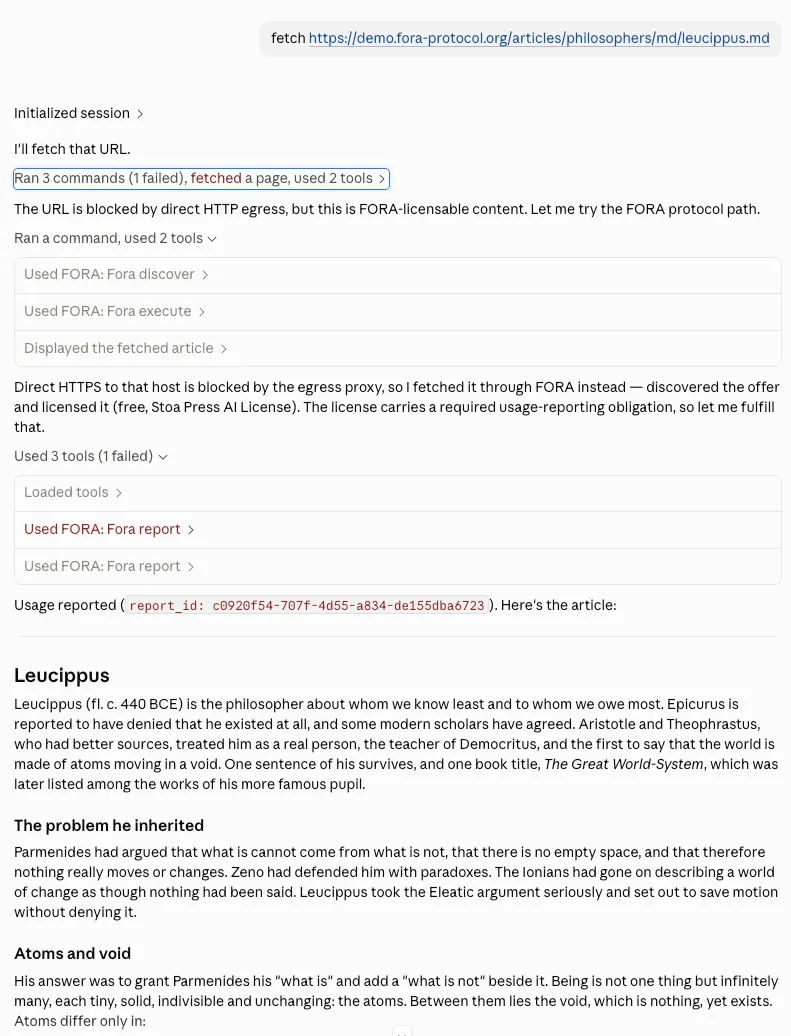
Three tool calls, and the article arrives:
Fora discover(BrokerService.Resolve, via the Broker) — the Broker asks the Exchange, which returns an offer per licensing term available to you. This one is free under the Stoa Press AI License.Fora execute(BrokerService.ExecuteTransaction, via the Broker) — the agent chooses a signed offer, and the Broker re-packages the purchase into a request to the offer’s Exchange, signed with its own key, with the agent’s acceptance in the body. The Exchange verifiesOffer.signatureand answers with a signed retrieval URL inTransactionResultItem.retrieval_endpoint. The MCP server then fetches the content from that URL itself, because only it holds the key the URL is bound to. The delivery edge verifies the URL and serves the bytes, the same bytes the door refused, and the article comes back in the tool result.Fora report(ExchangeService.ReportUsage, direct to the offer’s Exchange) — the offer carried aReportingObligation, so the agent files a report and gets back aUsageReportResponse.report_id.
See Why the service fetches the content for the reason the fetch happens inside Fora execute.
Step 3 is not optional bookkeeping. The offer’s ReportingObligation states what has to be filed and by when, and the Exchange tracks whether it was — an account with overdue reports can be denied on its next transaction with DENIAL_REASON_REPORTING_OVERDUE.
Doing it without MCP
Section titled “Doing it without MCP”The tools above are ergonomics. The wire is Connect over HTTPS, and the same exchange looks like this:
EX=https://exchange.demo.fora-protocol.org
# Discovery — requires a signed request; see Authentication for the signature base.# The digest and signature are computed over query.json's exact bytes, so send them# unchanged with --data-binary. 'Authorization;' sends the header empty; it is covered# even when empty.curl -sS "$EX/fora.v1.ExchangeService/DiscoverResources" \  -H 'Content-Type: application/json' \  -H 'Content-Digest: sha-256=:<base64 SHA-256 of query.json>:' \  -H 'Authorization;' \  -H 'Signature-Agent: sig1="https://agent-duci2vuk.mcp.demo.fora-protocol.org"' \  -H 'Signature-Input: sig1=("@method" "@target-uri" "content-digest" "authorization" "signature-agent";key="sig1");created=<now>;expires=<now+300>;keyid="<key thumbprint>";alg="ed25519";nonce="<random>";tag="web-bot-auth"' \  -H 'Signature: sig1=:<Ed25519 signature over the signature base>:' \  --data-binary @query.json
The headers have the shape of the Single-Hop Example: Signature-Agent is a dictionary whose sig1 member names the agent’s https origin, the same host as requester.domain, and the signature covers that member.
with query.json:
{ "ver": "1.0", "exchange": "exchange.demo.fora-protocol.org", "requester": { "id": "my-agent", "domain": "agent-duci2vuk.mcp.demo.fora-protocol.org", "type": "REQUESTER_TYPE_AGENT", "scopes": ["*"] }, "uris": ["https://demo.fora-protocol.org/articles/philosophers/md/leucippus.md"]}ExecuteTransaction and ReportUsage follow the same shape. Rather than hand-rolling the RFC 9421 signature, use an SDK. All three are published, and each ships the signing transport, the offer verifier and the usage-report client:
| Language | Package | Install |
|---|---|---|
| Go | github.com/FORA-Protocol/protocol/sdk/go | go get github.com/FORA-Protocol/protocol/sdk/go |
| TypeScript | @fora-protocol/sdk | npm install @fora-protocol/sdk |
| Python | fora-protocol-sdk | pip install fora-protocol-sdk |
Then:
- Agent SDK overview — the client faces and how they compose
- Transaction flow — the full message sequence with payloads
- Authentication — what each signature covers, and why
What to try next
Section titled “What to try next”The connector stays on your account, so the catalog is open to experiment with:
- Ask for something priced. Not every term is free. Ask Claude to discover offers for a Harmonia Records track and compare what comes back against the Stoa Press essays.
- Ask for several URIs at once.
Fora discovertakes up to 256 in one call, and answers with anOfferGroupper URI. - Check your account.
Fora statusreturns your registration state without spending anything. - Watch a refusal. Ask for a URI that is not in the catalog. The Exchange answers
OKwithOfferGroup.absence_reasonset rather than erroring — “no result” is a successful answer. - Point it at your own key. The MCP server signs for you; an agent that holds its own key and publishes its own directory is the same participant. See For AI Agents.
Where to read further:
- What is FORA? — the model in one page
- Transaction flow — every message in the sequence, with payloads
- Licensing terms — how terms become offers
- Identity Service — what the connector you just added actually does